


The problem
A fixed CRM template can leave a team working around unused fields and stages that do not reflect its process. The build starts with the way the team works, then configures the records and views around it.
What changed
Before
The manual process
- Fit the team's process into a generic pipeline.
- Work around fields that do not describe the job.
- Reconstruct ownership from separate conversations.
After
The configured workflow
- Use stages configured around the team's workflow.
- Keep the fields and layouts the process needs.
- See shared assignments and activity in one workspace.
Inside the workflow
01
Map the process
Identify the stages, record fields and responsibilities the team needs before configuring the workspace.
02
Shape the records
Configure fields and layouts around that process so the team has a consistent place to capture the relevant information.
03
Make ownership visible
Shared assignments and activity give the team a common view of who is handling a record and what has happened.
04
Hand over a working workspace
The configured CRM is handed over ready for the agreed workflow, rather than as an empty template.
Workspace components
- Pipeline views
- Shared assignments
- Activity history
- Configured fields and layouts
What the build delivers
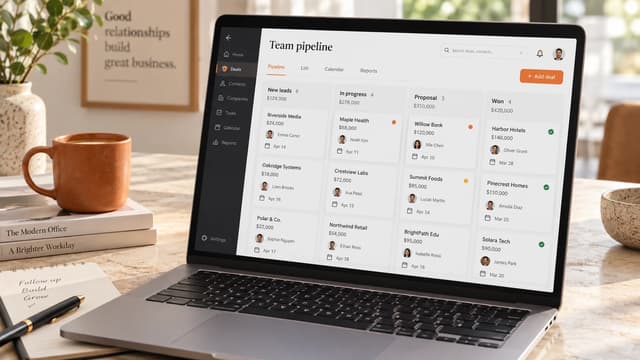
The product provides a shared pipeline and team workspace configured around a defined process. The team can follow records, assignments and activity in the same workspace.
Integrations and automation rules are scoped for each implementation. Not every connection is preconfigured.
Have a similar workflow?
Bring the repetitive task. We’ll help define the first useful build.
Discuss your workflow